Anointed Keys
Praise.Worship.Anointed
Worship pads, beautiful keys and sound layering for the church musician. Plug in your keyboard and lead the service from your iPad, Mac or Android tablet.
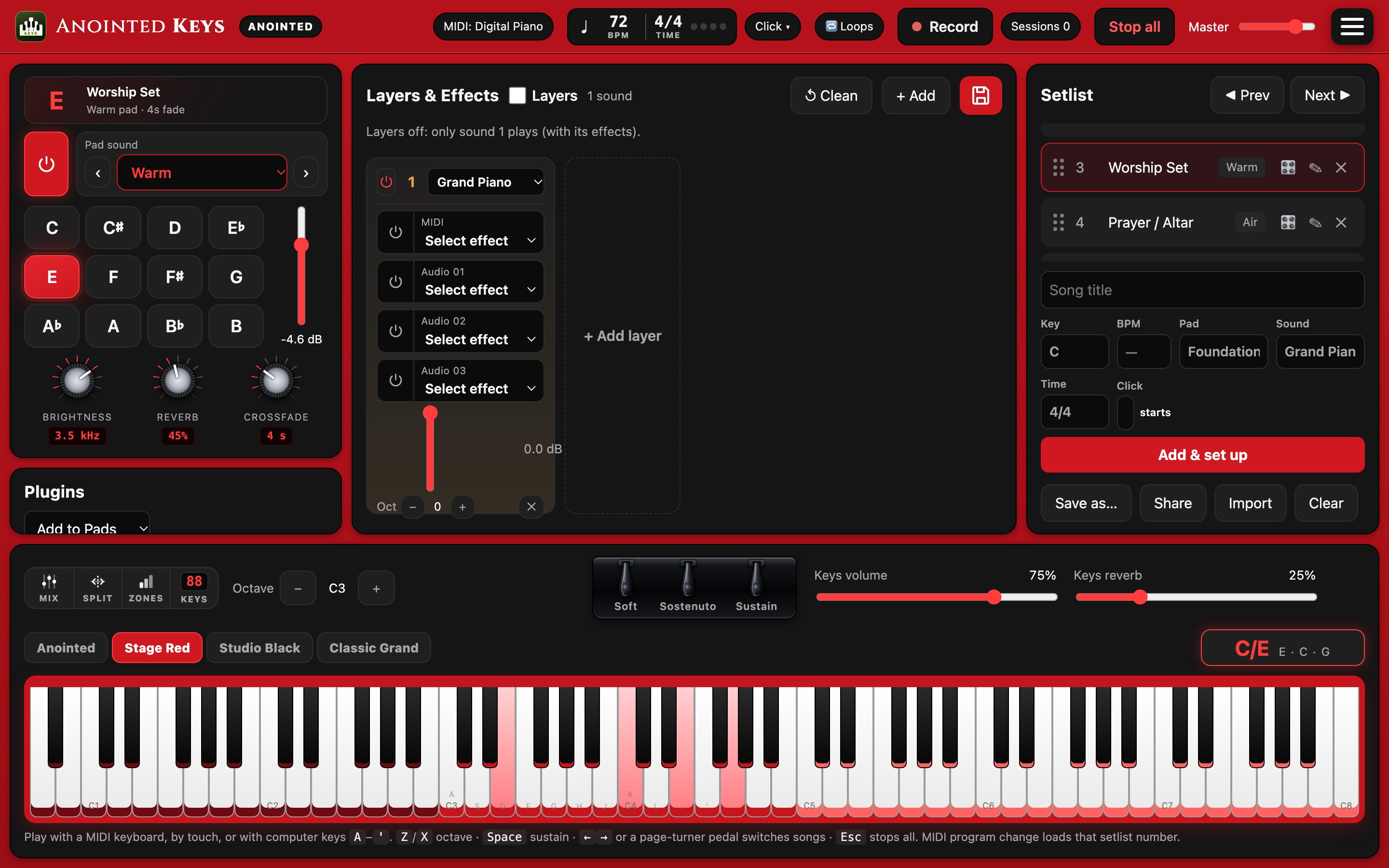
Everything the keys player needs on the platform
Made by worship musicians, for worship musicians: simple enough for a first Sunday, deep enough for the whole service.
A real concert grand
A recorded grand piano with real hammers and strings, plus 33 more keys and synth sounds.
Worship pads in every key
Seventeen pads, including the recorded Anointed Worship Pads, with smooth crossfades between keys.
Layer up to 16 sounds
Piano, pad and strings at once, each with its own key range, octave and effects.
Sound library
Ready-made sounds for the service and 100 well-loved songs, plus the Anointed Worship library.
Chord display
Play your keyboard and see the chord you're holding: C major, Am7, C/E.
Record screen and sound
Save what you play as audio, or a video of the app with its sound, straight to your device.
Setlist and click track
Songs with their key, tempo and sounds; drag to reorder, and share the setlist with your team.
Your own SF2 sounds
Load your own SoundFont instruments and use them in layers and songs.
Private and offline
No account needed, no tracking, no internet needed. Your music stays on your device.
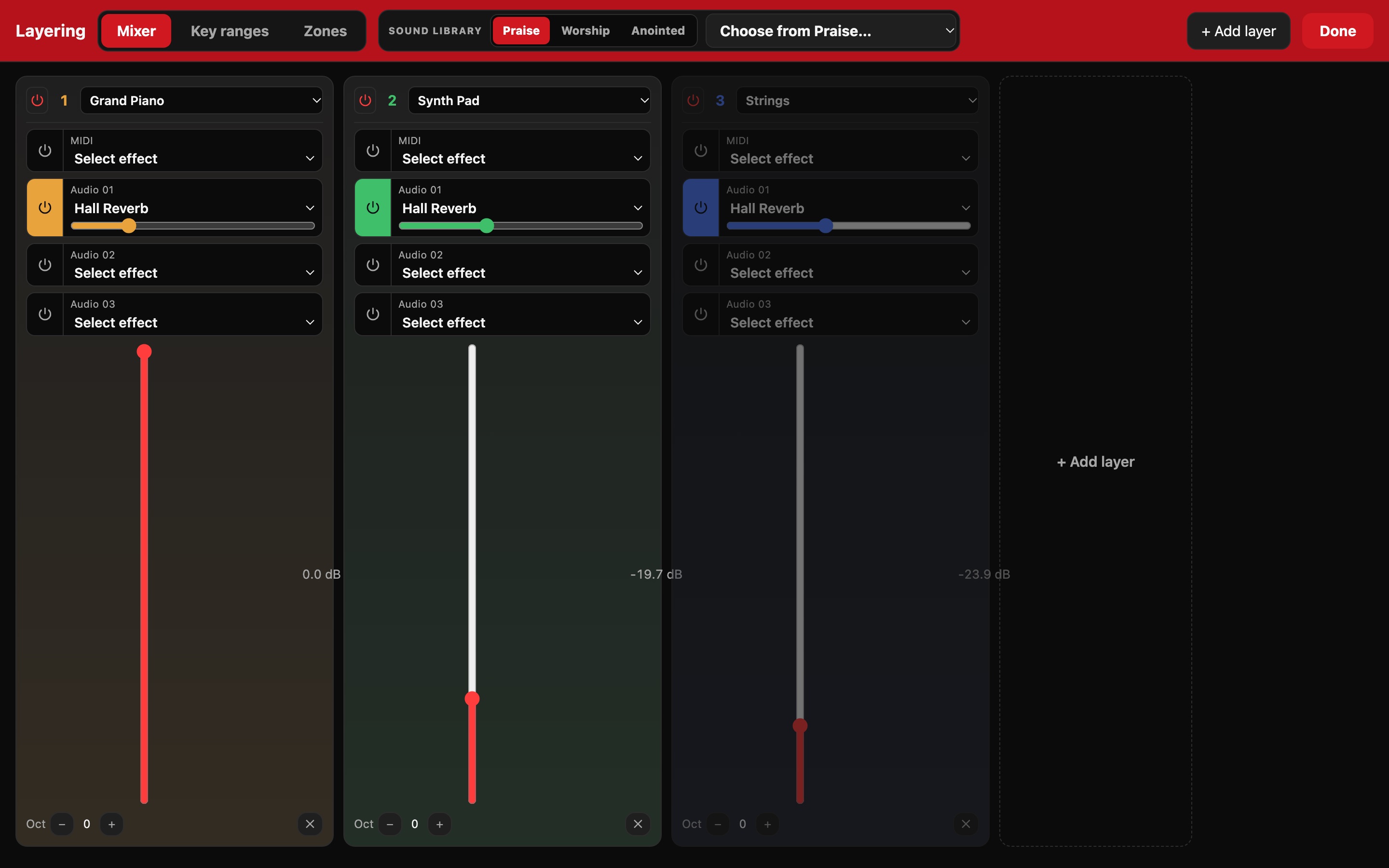
Build the sound of your church
Start from a sound made for the moment (Sunday service, altar call, communion, celebration) or from a song, then make it yours.
- Mixer with three effects per sound
- Key ranges and splits on an 88-key map
- Save the setup with each song in your setlist
- Remembers everything when you close the app
Start free. Grow when you're ready.
One app, three levels. Upgrade inside the app at any time.
Seed
- Grand Piano and the Warm pad in all 12 keys
- Layer up to 16 sounds with octaves, ranges and effects
- Click track
- Record what you play (sound)
- Setlist, chord display, MIDI keyboard and pedals
- Graphite colour theme and one keyboard look
- Sound library
Praise and Worship
- Everything in Seed
- All 34 keys and synth sounds
- All 17 pads, with the Anointed Worship Pads
- Sound library: service sounds, styles and all 100 songs
- All colour themes and keyboard looks
- Your own SF2 sounds
- Screen and sound recording
- Loops, effects, key zones, band cues and MIDI sync
Anointed
- Everything in Praise and Worship
- The Anointed Worship library: 35 songs, most popular first
Get Anointed Keys
Free to download. Works with USB and Bluetooth MIDI keyboards.
iPad and iPhone
From the App Store.
Coming soonApp StoreMac
Apple silicon and Intel, macOS 13 or newer.
Coming soonMac App StoreAndroid
Phones and tablets, Android 8 or newer.
Coming soonGoogle PlayIn your browser
Chrome or Edge on a computer, nothing to install.
Coming soonOpen in browserLearn it in minutes
Step-by-step tutorials and what's new in each update. Follow along for new videos.
Tutorials
What's new
Getting started
How do I connect my keyboard?
Plug a USB keyboard in (on iPad with Apple's USB adapter, on Android with a USB-C OTG adapter), or pair a Bluetooth MIDI keyboard in ⚙ Settings › MIDI. Play a key and the app shows it straight away.
Where are my recordings and setlists saved?
On your own device, in the Anointed Keys folder: Documents on Mac, the Files app on iPad, Downloads on Android. Nothing is uploaded anywhere.
How do I share a setlist with my band?
Tap Share under your setlist and send it by AirDrop, WhatsApp or email. When your teammate opens the file, Anointed Keys asks whether to add the songs to their setlist.
Can I use my own sounds?
Yes. In Praise and Worship and Anointed, add .sf2 SoundFont files in ⚙ Settings › Audio. Only use SoundFonts you're allowed to use.
Will it keep my setup when I close the app?
Yes. With “Remember my setup” on (it is by default), your sounds, layers, volumes and the song you had loaded come back next time. The pad waits for your tap, so nothing plays by itself.